Guide · Basics
What Happens When a QR Code Runs Out, and How to Bring It Back
When a pack’s scans or term run out, a PrepaidQR code becomes inactive. Scanners see a PrepaidQR page instead of a broken link, and adding a pack makes the same printed code work again on the next scan. Here is what scanners see, what you see, and how to bring the code back.
On this page
When a pack’s scans or term run out, the code becomes inactive. Scanners see a PrepaidQR page, not a broken link. Add a pack and the same printed code works again on the next scan, with no reprint. This guide shows what scanners see, what you see in your dashboard, and how to bring the code back.
The short answer
A PrepaidQR code runs on a scan pack. The pack has two limits: the number of scans you bought and the pack term. Whichever limit you reach first ends the pack.
When that happens, the code is not deleted and the printed code still leads somewhere. The code becomes inactive. You can bring it back by adding a pack. This is the same prepaid model we describe elsewhere, seen from the moment the balance is used up.
What a scanner sees
A person who scans an inactive code reaches a PrepaidQR fallback page. It explains that the code was created on PrepaidQR, that it is not active right now, and that the visitor does not need to do anything. It carries no error.
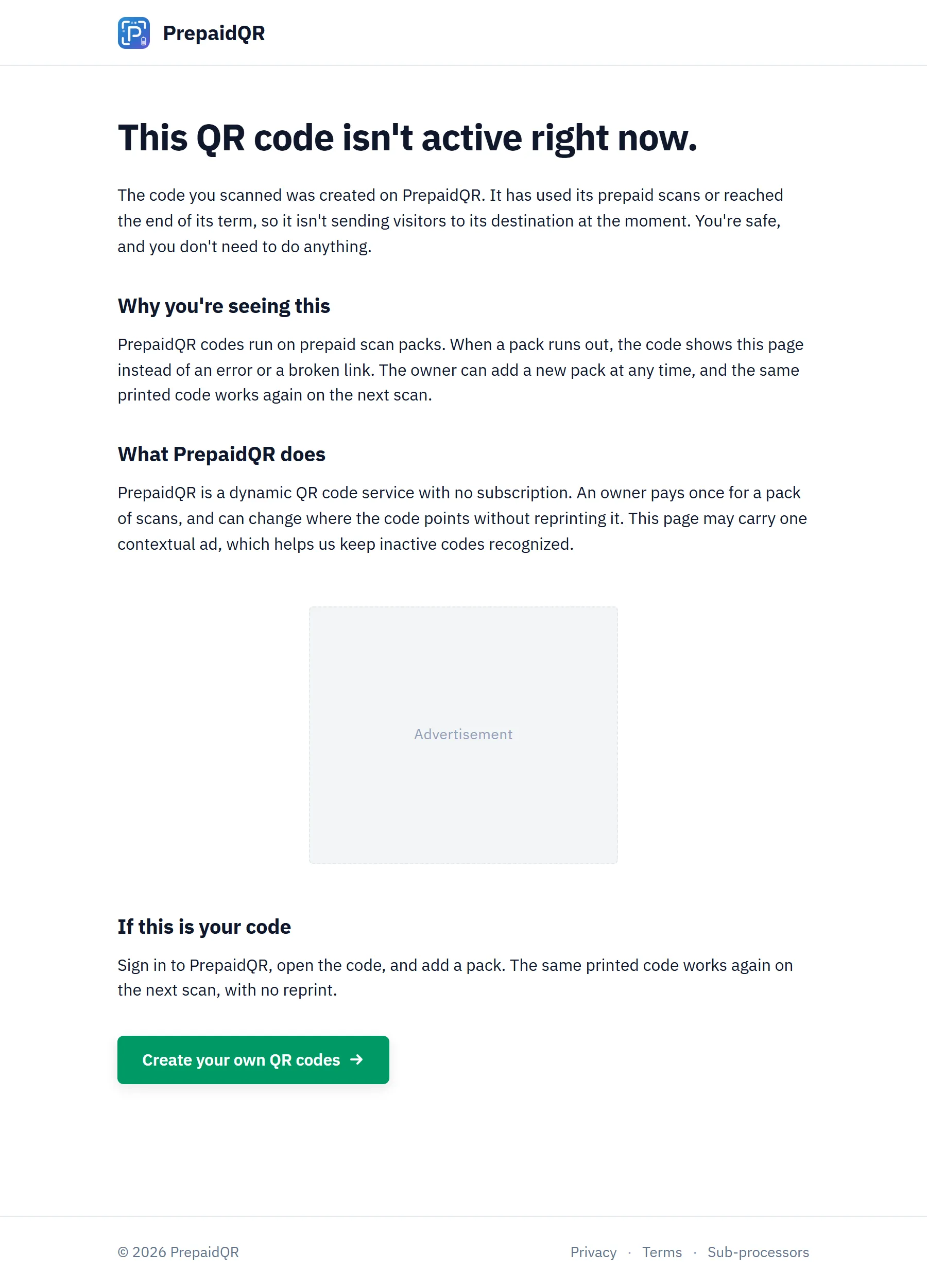
This page can carry one contextual ad. In some cases we may instead keep the code redirecting to your destination, with ads shown. Either way, the code is not a dead link.
What you see in your dashboard
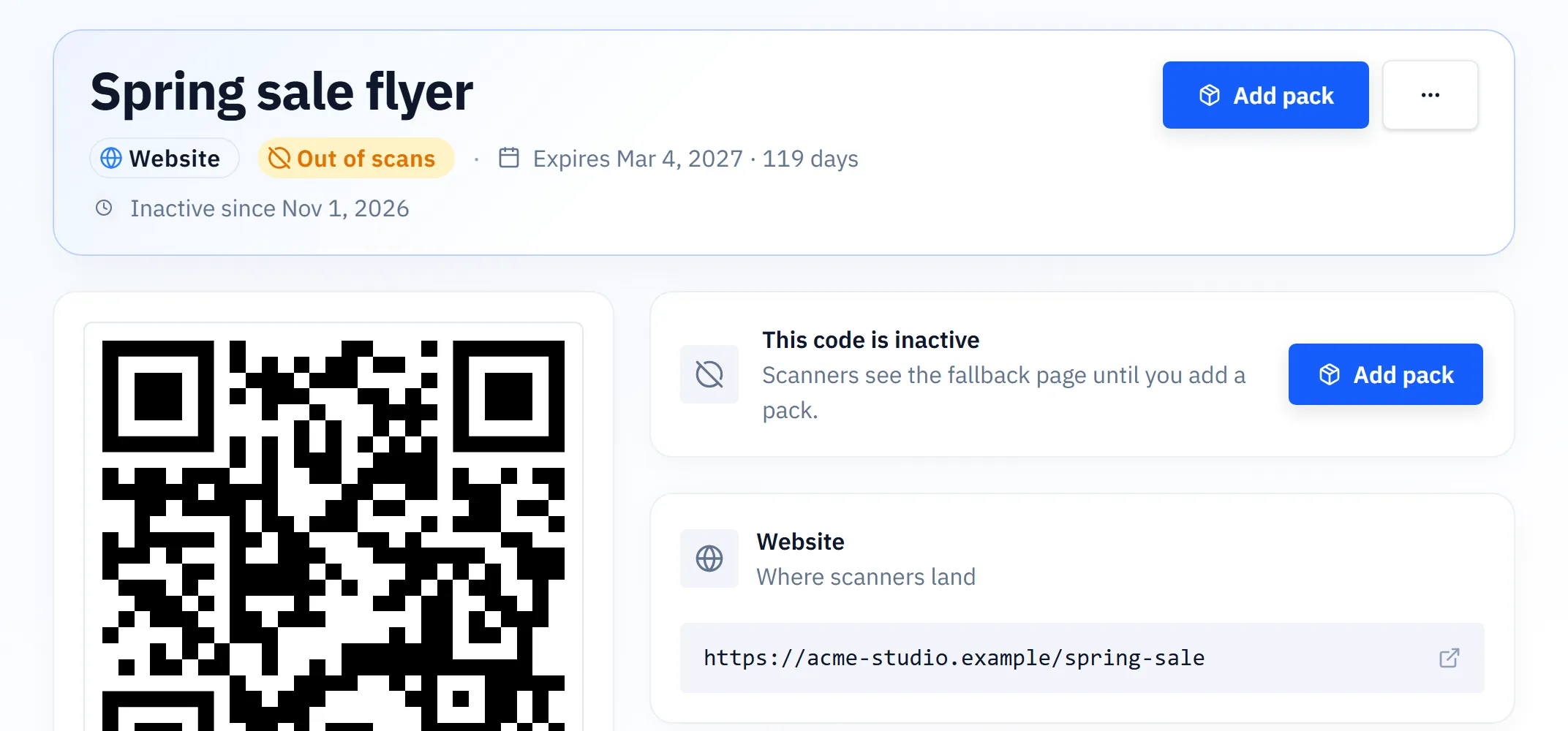
The code stays in your main list. A badge tells you why it is inactive: Out of scans when the scans are used up, or Term ended when the pack term is over. Under it is an Add pack button.
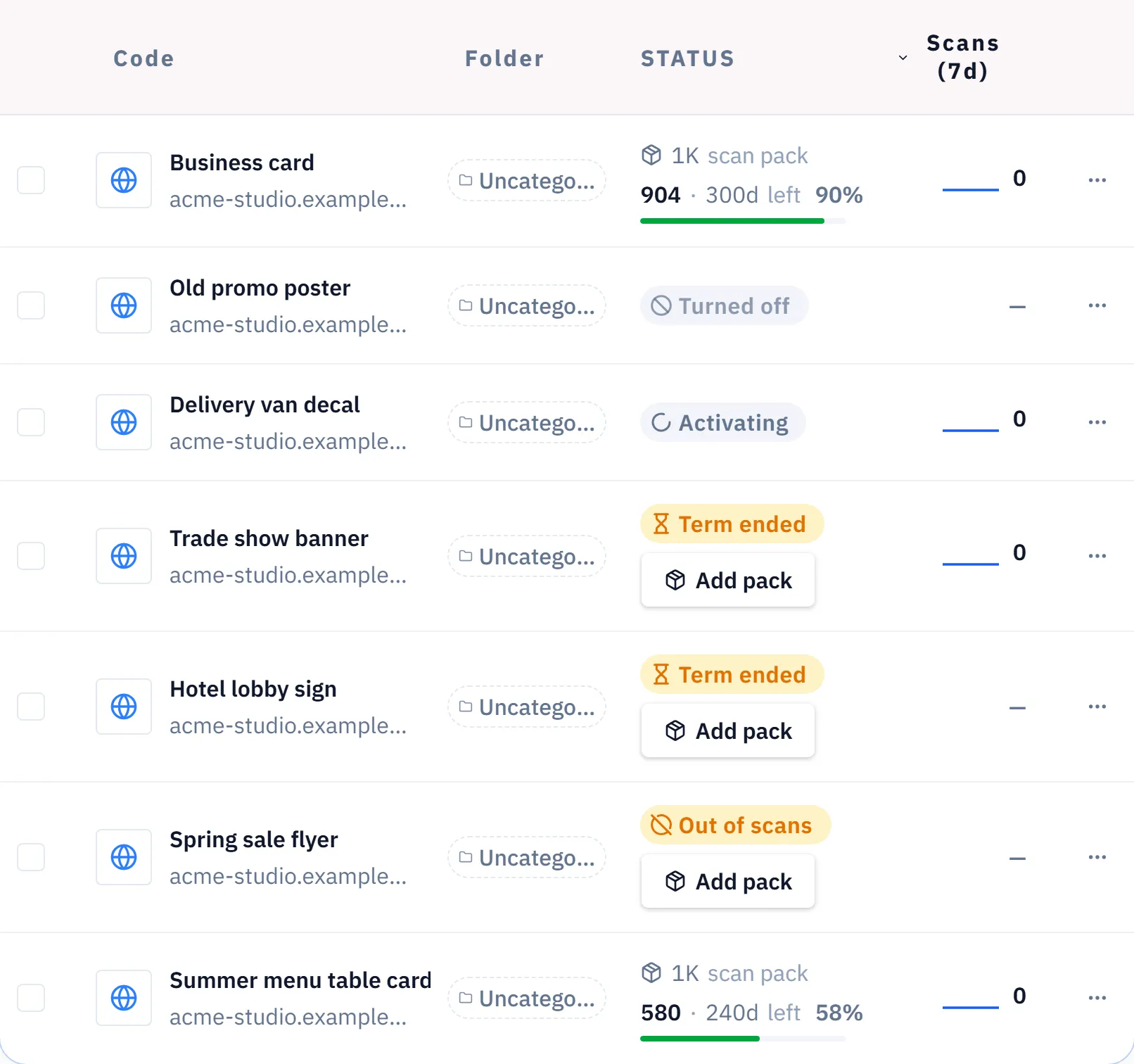
You also get warnings before it happens. We email you at 80% and 95% of the scan limit, and before the term ends.
How to bring it back
Open the code and choose Add pack. If you already hold a pack that is ready to use, pick it from the list of Ready packs. If you do not, you can buy one on the same page. The code works again on the next scan.
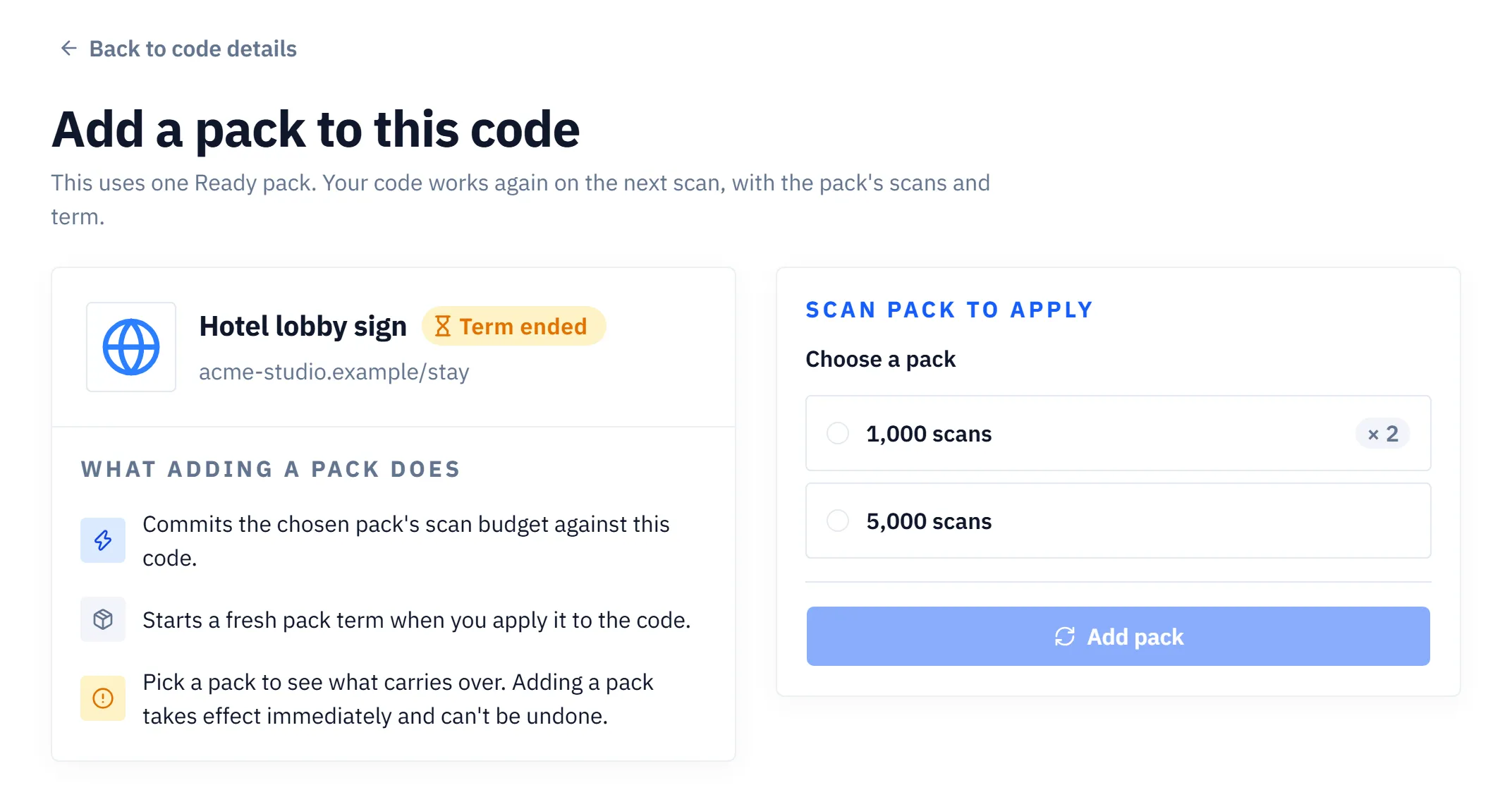
Rarely, the pack is saved but activation is delayed. In that case the page tells you, and you try again in a minute.
Unused scans carry over, up to the size of the new pack. The new pack also starts a fresh term. Here is one example. Your term ended with 240 scans left. You add a 1,000-scan pack. The code now has 1,240 scans, on a new term.
Auto-extend: skip the inactive step
With auto-extend, you reserve a pack you already bought. When the scans or the term run out, the reserved pack applies by itself, so the code does not show as inactive. Setting it up never charges you.
Scanners normally notice nothing. When the term ends, the first scan after the term can wait a moment while the pack applies.
What inactive is not
It is not paused. A paused code is your own switch. You turned it off, and scanners see a different page that says so. An inactive code ran out of scans or term.
It is not a code PrepaidQR turned off. A pack cannot bring that kind of code back. If you see a message that we turned your code off, contact support.
How long an inactive code stays
If an inactive code stays unused, we email you warnings at 18, 21, 23, 33 and 35 months. We do not guarantee any minimum retention period. A code that is no longer being scanned may be removed.
For the wider question of which QR codes stop working and why, read do QR codes expire. For how packs are priced and attached, read dynamic QR codes without a subscription.
Create a dynamic QR code you can update anytime
Free static codes need no account. Add a dynamic destination and real-time analytics when you sign up.
Frequently asked questions
What happens when my QR code runs out of scans?
The code becomes inactive. Scanners see a PrepaidQR page instead of a broken link. When you add a pack, the same printed code works again on the next scan, with no reprint.
Do I need to reprint my QR code after I add a pack?
No. The printed pattern does not change. The code redirects to your destination again on the next scan after the new pack applies.
What happens to the scans I did not use?
They carry over, up to the size of the new pack. If 240 scans were left when the term ended and you add a 1,000-scan pack, the code has 1,240 scans. The new pack also starts a fresh term.
Does auto-extend charge my card?
No. Setting up auto-extend reserves a pack you already bought. It never charges you. When scans or term run out, the reserved pack applies by itself and scanners normally notice nothing.
Can a pack bring back a code that PrepaidQR turned off?
No. A pack only fixes an inactive code, one that ran out of scans or term. A code that PrepaidQR turned off cannot be brought back with a pack. Contact support instead.
Related guides